VAT Inclusive vs VAT Exclusive Prices
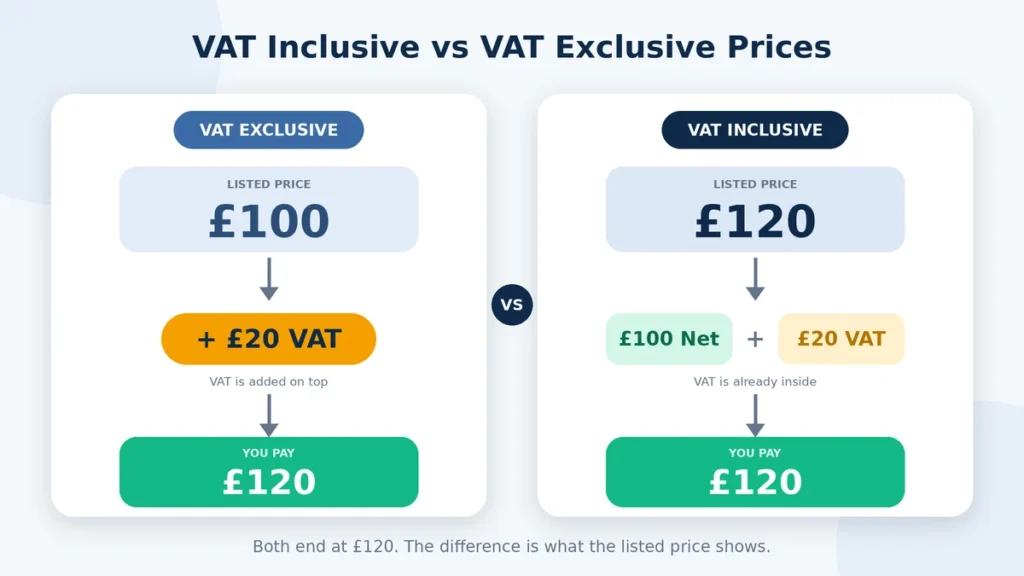
VAT can make a price look different depending on where you see it. A product may be advertised at a final price that already includes VAT, while a supplier quote may show the price before VAT is added. Both figures can refer to the same item, but they are not the same amount.
VAT-inclusive pricing means the VAT is already part of the displayed total. VAT-exclusive pricing shows the amount before VAT, with the tax added separately. Knowing which one you are looking at matters when comparing prices, checking an invoice, preparing a quote, or working out what a customer will actually pay.
This guide explains the difference between VAT-inclusive and VAT-exclusive prices, how to convert between them, and why simply adding or subtracting the VAT percentage does not always work in both directions. It also shows how the figures relate to net price, VAT amount, and gross price.
VAT-Inclusive, VAT-Exclusive, Net and Gross Defined
These terms describe where VAT sits in relation to the price. Net and gross usually refer to the amount before and after VAT, while inclusive and exclusive tell you whether VAT is already part of the displayed price. Keeping these terms separate makes it much easier to read invoices and compare prices.
| Term | What it means | Example at 20% VAT |
| VAT-exclusive price | Price before VAT is added | £100 |
| Net price | Amount before VAT | £100 |
| VAT amount | Tax charged on the net price | £20 |
| VAT-inclusive price | Price with VAT already included | £120 |
| Gross price | Total after VAT has been added | £120 |
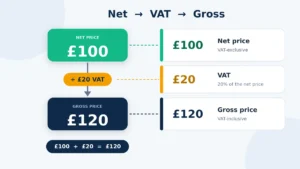
For example, a product with a VAT-exclusive or net price of £100 has £20 VAT added at a 20% rate, making the VAT-inclusive or gross price £120. The terms are often used interchangeably in everyday pricing, but the context still matters. If a quote says £100 plus VAT, the customer does not pay £100 as the final total. If a shop displays £120 including VAT, the VAT is already part of the amount shown.
How to Tell Whether a Listed Price Includes VAT
Before comparing a price with another seller, first check whether VAT is already included. A lower-looking price is not necessarily cheaper if VAT will be added later.
- Look for wording such as “including VAT” or “VAT included”.
- Check whether the price is described as “plus VAT” or “excluding VAT”.
- On an invoice, look for separate net, VAT, and total amounts.
- Check the terms of a quote to see whether VAT is added to the stated price.
- If the listing is unclear, do not assume that the displayed amount is the final price.
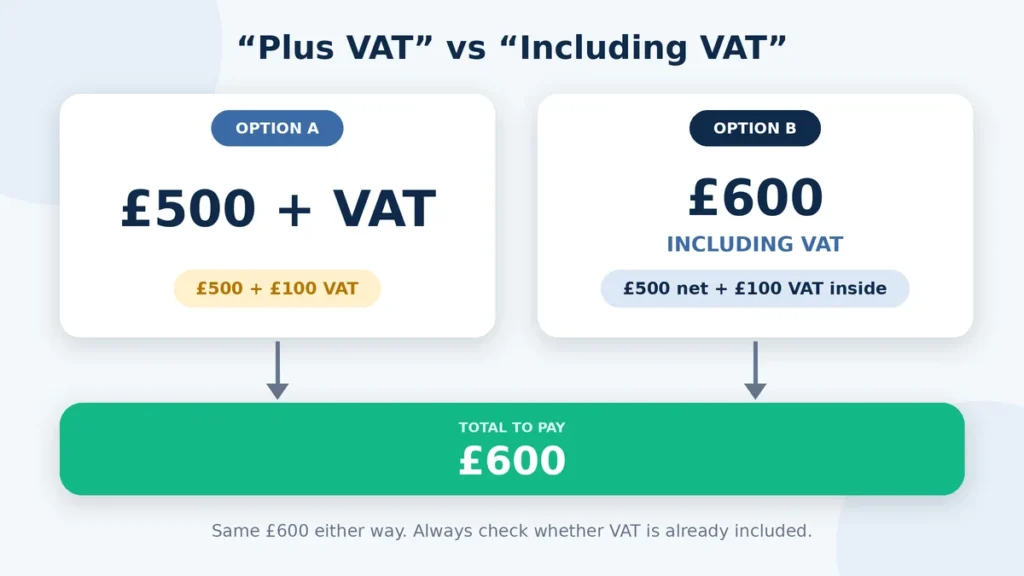
For example, a supplier may quote £500 plus VAT. At 20% VAT, the final amount would be £600. Another seller might advertise the same item at £600 including VAT. The displayed prices look different, but both can lead to the same £600 total. Checking the VAT wording before comparing prices prevents this kind of confusion.
Reading Net, VAT and Gross on Quotes and Invoices
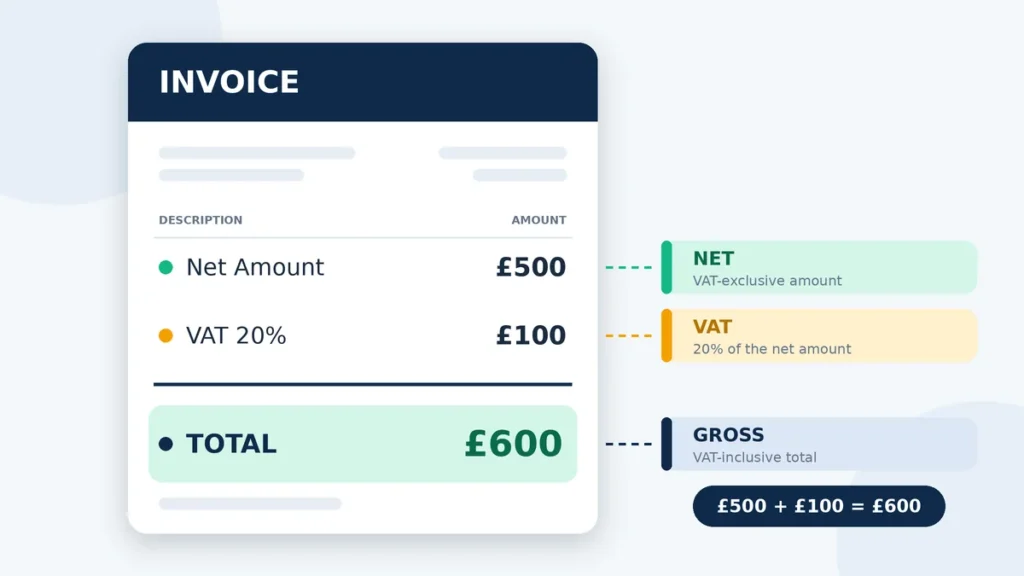
On a quote or invoice, net, VAT, and gross amounts usually show different parts of the same transaction. The net amount is the price before VAT, the VAT figure is the tax charged on that amount, and the gross amount is the total after VAT has been added. Reading all three together makes it easier to check whether the final figure is correct.
For example, an invoice could show a net amount of £500, VAT of £100, and a gross total of £600 at a 20% VAT rate. If you only see £600 on a receipt, you may need to work backwards to find how much of that total represents VAT. If a quote says £500 plus VAT, the £500 is normally the VAT-exclusive amount, not the final amount payable.
When comparing quotes, make sure the figures are being shown on the same basis. A £500 VAT-exclusive quote and a £500 VAT-inclusive quote do not represent the same final cost. This is one of the easiest ways to misread a price when reviewing several suppliers.
Price Labels That Commonly Cause Confusion
Price labels can be easy to misread when they do not clearly show whether VAT is included. Terms such as “plus VAT” and “including VAT” can change the amount a customer actually pays, even when the advertised number is the same.
| Price Label | What It Usually Means | If the Listed Price Is £100 at 20% VAT |
| Including VAT | VAT is already part of the displayed price | £100 total |
| VAT included | The displayed amount already contains VAT | £100 total |
| Excluding VAT | The displayed price is before VAT | £120 total |
| Plus VAT | VAT will be added to the displayed price | £120 total |
| Net price | Amount before VAT | £100 before VAT |
| Gross price | Amount including VAT | £120 including VAT |
The wording matters when comparing products, supplier quotes, or service prices. For example, two businesses might both advertise a service at £100, but one may mean £100 including VAT while the other means £100 plus VAT. In the second case, the amount payable at a 20% rate would be £120. Always check the price label before deciding that two listed prices are directly comparable.
FAQs
Final Thoughts
The main difference between VAT-inclusive and VAT-exclusive pricing is where the VAT sits in the price. An exclusive price shows the amount before VAT, while an inclusive price already contains the tax. That small distinction can make a big difference when you compare supplier quotes, check invoices, or work out what a customer will actually pay.
If you start with a VAT-exclusive price, add the applicable VAT to reach the gross total. If you start with a VAT-inclusive price, you need to work backwards to separate the net amount and VAT. A direct percentage subtraction does not reverse the original VAT calculation.
For business pricing, the safest approach is to check the wording around every figure before comparing it with another price. Look for terms such as “plus VAT”, “excluding VAT”, or “including VAT”, and check whether the invoice separates the net, VAT, and gross amounts.
When you compare two prices, are you sure they are both shown on the same VAT basis?