How to Calculate VAT
Calculating VAT is fairly simple once you know what kind of price you are starting with. The calculation is different when VAT needs to be added to a price and when the price already includes VAT.
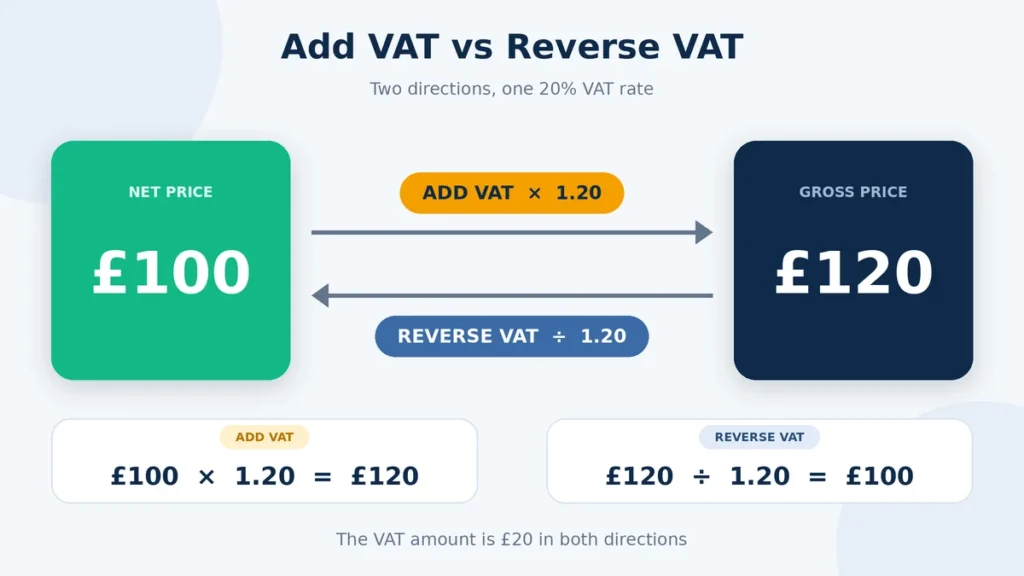
If you have a price before VAT, multiply it by the VAT rate to work out the tax, or use our add VAT calculator to get the gross price automatically. If the price already includes VAT, use our reverse VAT calculator to work backwards.
If the price already includes VAT, you need to work backwards. Divide the gross amount by 1 plus the VAT rate as a decimal to find the price before VAT. You can then subtract that amount from the gross price to find the VAT included.
This guide covers both calculations with formulas and examples, along with different VAT rates, decimal amounts, rounding, and common mistakes.
VAT Calculation Formula
The formula you use depends on whether your starting price is before VAT or already includes it.
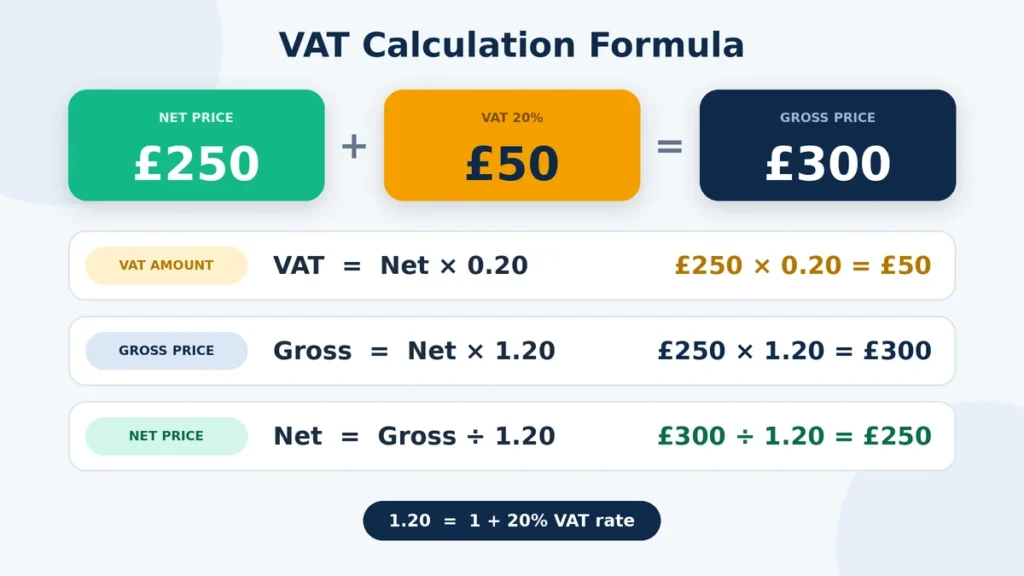
For a VAT-exclusive price, multiply the net amount by the VAT rate as a decimal. Then add the VAT to the net amount to get the gross price.
VAT amount = Net price × (VAT rate ÷ 100)
Gross price = Net price + VAT amount
For example, if the net price is £250 and the VAT rate is 20%, the VAT is £50. Add £50 to £250 and the gross price is £300.
If you already have a VAT-inclusive gross price, use the reverse calculation:
Net price = Gross price ÷ (1 + VAT rate ÷ 100)
VAT amount = Gross price − Net price
Check whether your starting figure is net or gross before choosing a formula. Using the add-VAT formula on a gross amount will give you the wrong result, just as using the reverse formula on a net amount will.
How to Calculate VAT on a Standard Calculator
You can work out a basic VAT calculation with a normal calculator. You only need the starting price and the VAT rate, but you need to know whether the price is before or after VAT.
- Divide the VAT rate by 100 to turn it into a decimal.
- Multiply the net price by the decimal to find the VAT amount.
- Add the VAT to the net price to get the gross price.
- If VAT is already included, divide the gross amount by 1 plus the VAT rate as a decimal.
- Subtract the net price from the gross amount to find the VAT included.
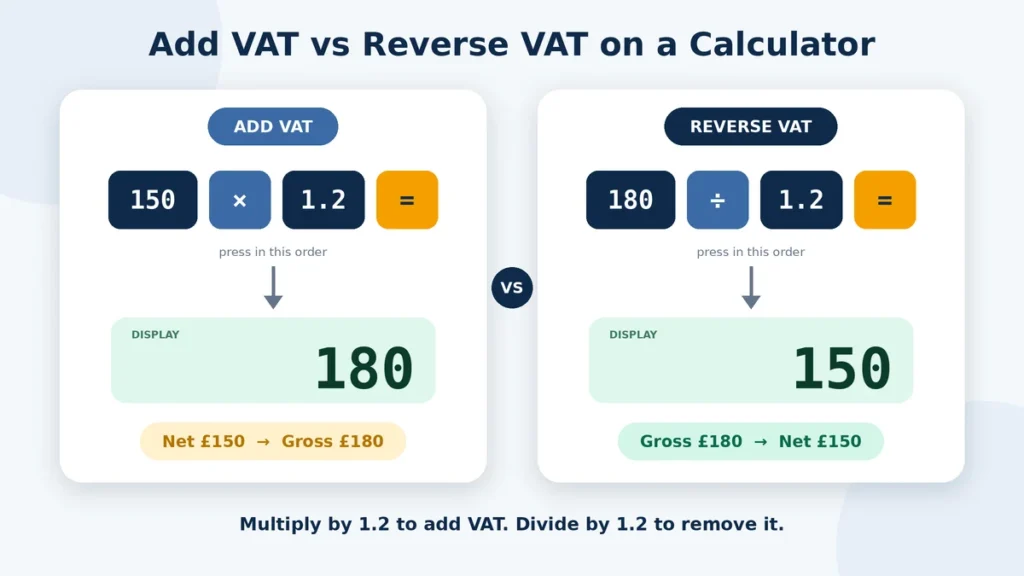
For example, to add 20% VAT to £150, calculate:
£150 × 0.20 = £30 VAT
Then:
£150 + £30 = £180 gross price
If £180 already includes 20% VAT, the calculation is different:
£180 ÷ 1.20 = £150 net price
£180 − £150 = £30 VAT
Both calculations use the same 20% rate, but they start from different types of prices. Check the starting figure first so you do not use the wrong formula.
Calculating the VAT Amount When Two Values Are Known
If you already know two of the three figures (net price, VAT, and gross price), you can use them to find the missing amount. This can be useful when checking an invoice or working from figures you already have.
| Known Values | Formula | Example |
| Net price + VAT rate | VAT = Net × Rate ÷ 100 | £200 × 20% = £40 VAT |
| Net price + Gross price | VAT = Gross − Net | £240 − £200 = £40 VAT |
| Gross price + Net price | VAT = Gross − Net | £300 − £250 = £50 VAT |
| Gross price + VAT rate | VAT = Gross − (Gross ÷ (1 + Rate ÷ 100)) | £120 at 20% = £20 VAT |
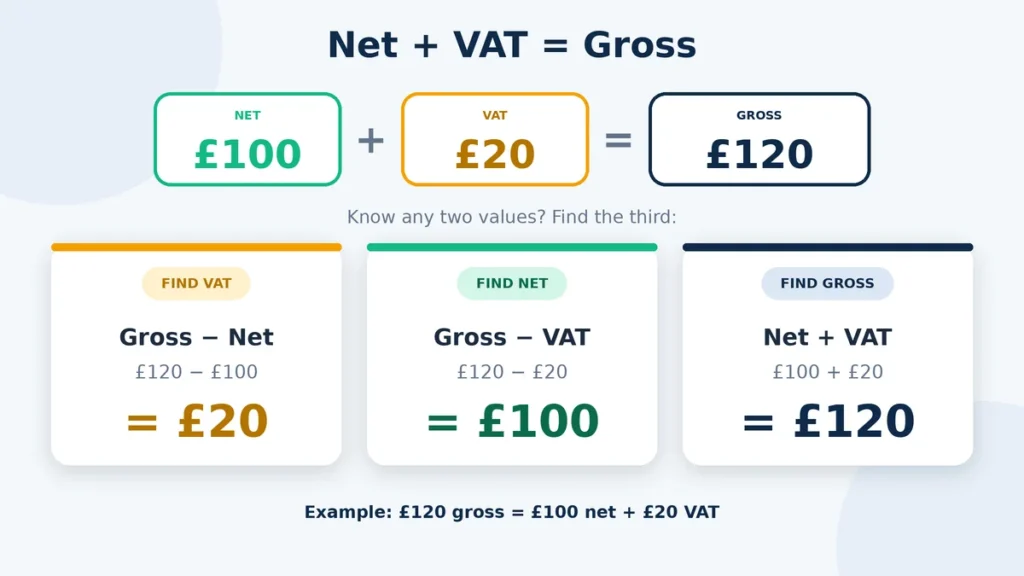
The first three methods are quick when you already know the VAT rate or both prices. If you only know the gross price and VAT rate, find the net price first.
For example, if the gross price is £120 and the VAT rate is 20%:
£120 ÷ 1.20 = £100 net price
£120 − £100 = £20 VAT
Keeping the net price, VAT amount, and gross price separate makes it easier to check whether the figures match.
VAT Rounding and Decimal Precision
VAT calculations do not always produce a neat amount of pounds and pence. This can happen when the starting price includes pence or when the calculation produces more than two decimal places.
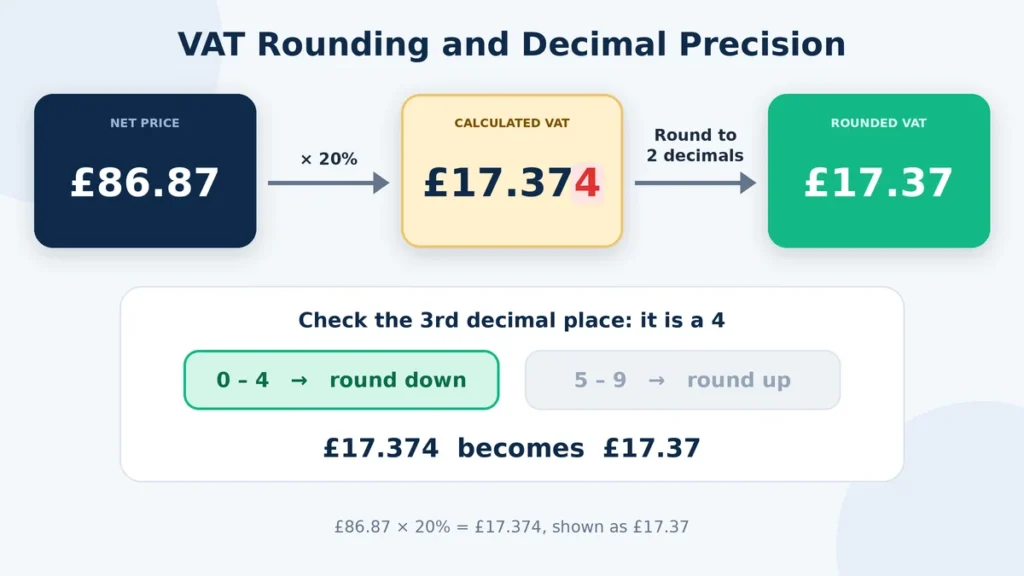
For example, 20% VAT on £86.87 is:
£86.87 × 0.20 = £17.374
Rounded to two decimal places, the VAT is £17.37. Adding £86.87 and £17.37 gives a displayed total of £104.24.
When several items are calculated separately, you may see a small difference between the VAT on each item and the VAT calculated from the combined total. This can happen because each amount may be rounded at a different stage.
When checking an invoice, use the figures shown on the actual document. The final penny can depend on the rounding method and when rounding was applied during the calculation.
FAQs
Final Thoughts
Calculating VAT comes down to knowing which figure you are starting with. If you have a price before VAT, multiply it by the VAT rate to find the tax and then add it to the net amount. If VAT is already included, divide the gross price by 1 plus the VAT rate as a decimal to work backwards.
You can use the same method with different VAT rates, as long as the rate matches the transaction. Decimal amounts may also need rounding when you are working with prices or checking invoice figures to the nearest penny.
For simple calculations, a standard calculator is usually enough. If you need to check VAT figures regularly, a VAT calculator can make the process quicker.
Before accepting a VAT figure, have you checked whether your starting price is net or already includes VAT?