UK VAT Calculator
If you have a UK price and need to know what it will be after VAT, the calculation is usually quick. It gets less obvious when the price you have already includes VAT and you need to work out how much tax is sitting inside the total. That is where the direction of the calculation matters.
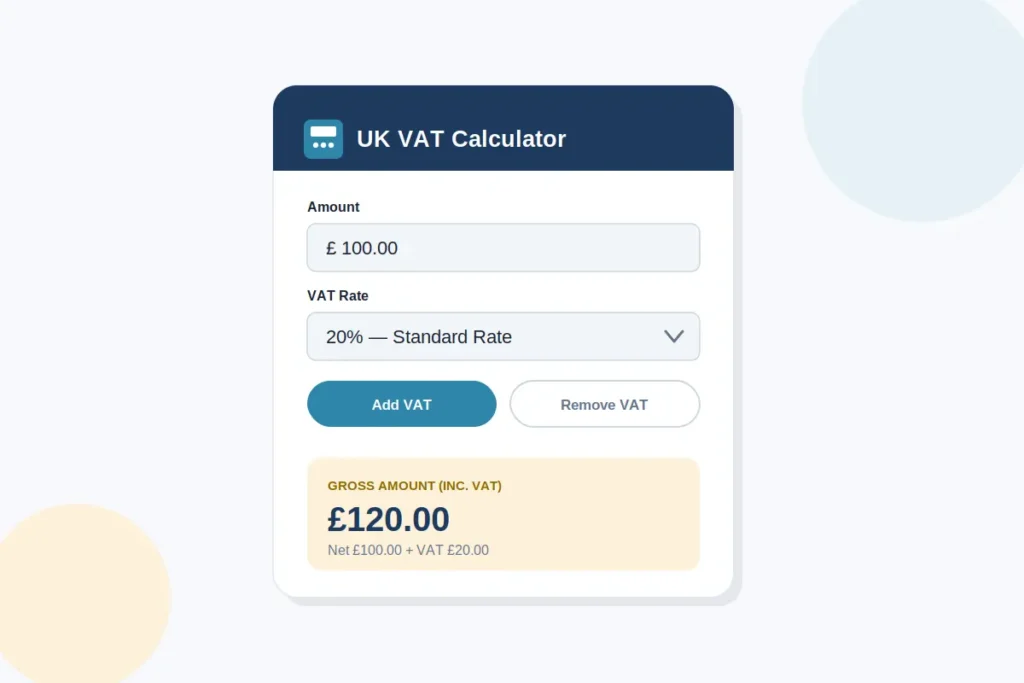
This UK VAT Calculator lets you work out VAT on a price using the rate that applies to your calculation. You can use it to add VAT to a price before tax, or work backwards from a VAT-inclusive amount to find the price before VAT and the VAT portion. It can be useful when checking an invoice, working out a selling price, preparing a quote, or simply checking the figures on a UK transaction.
The calculator is designed for the calculation itself. If you are unsure which UK VAT rate or tax treatment applies to a particular product or service, that is a separate question and should be checked against current HMRC guidance before you enter the rate
How to Use the UK VAT Calculator
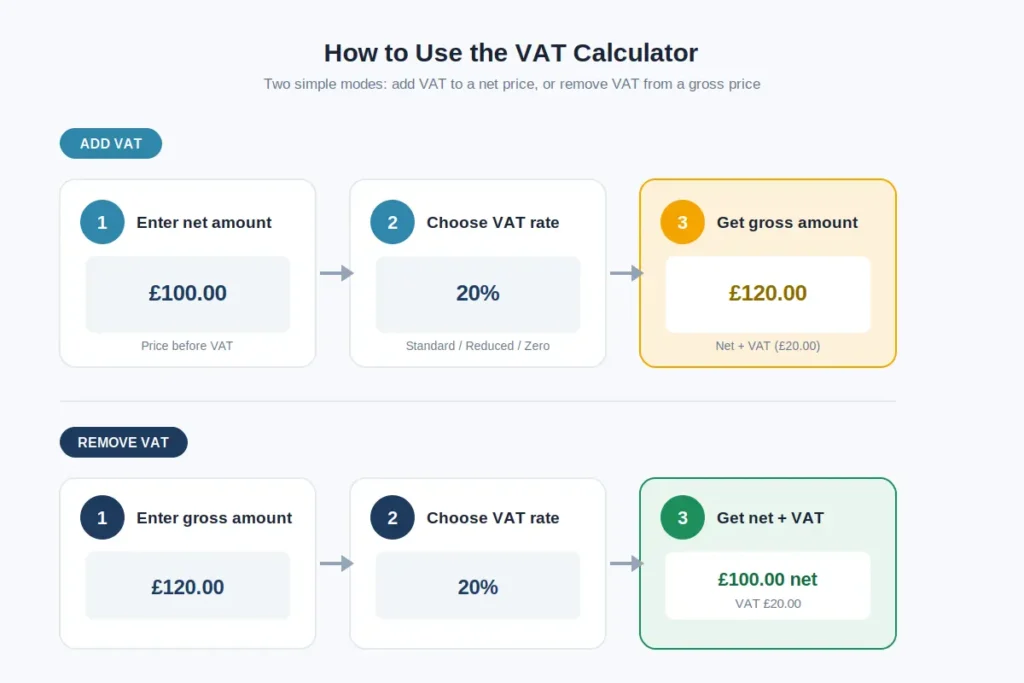
- Enter the price you want to calculate VAT on.
- Select the VAT rate that applies to the transaction.
- Choose whether you are adding VAT to a price or removing VAT from a VAT-inclusive amount.
- Check the VAT amount separately from the net and gross totals.
- Review the final figure before using it on an invoice, quote, or price list.
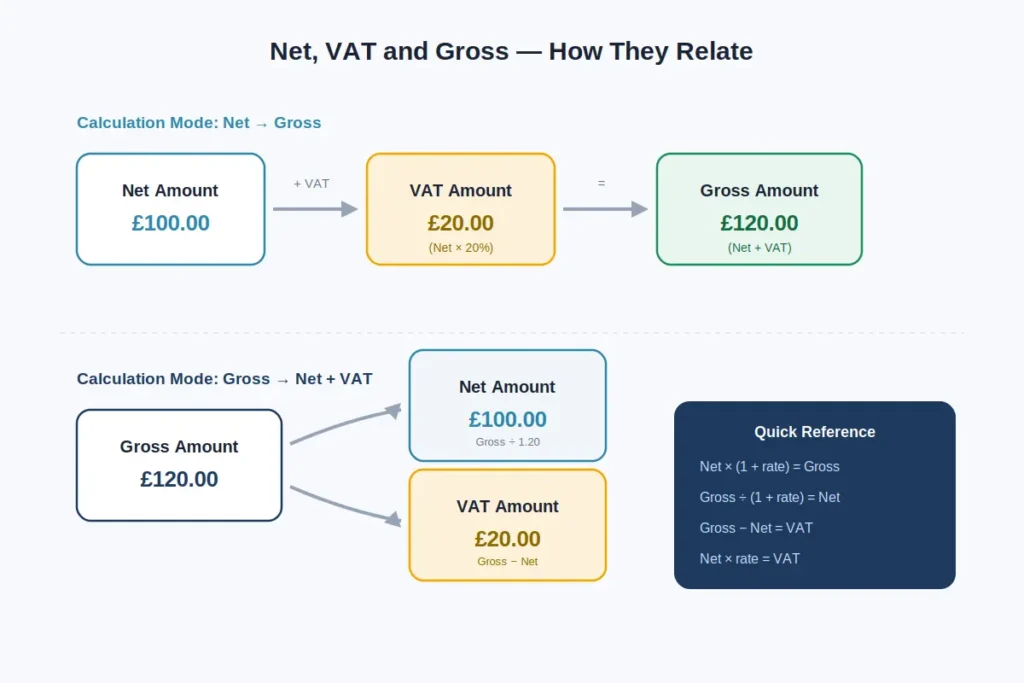
If you are starting with a price before VAT, use the add VAT calculation. For example, a £100 net price at 20% VAT produces £20 VAT, giving a gross total of £120. If the £120 is already VAT-inclusive, use the reverse calculation instead. The VAT is not £24 because 20% of the gross total is not the same as the VAT contained within it.
For UK pricing, it also helps to keep the net amount, VAT amount, and gross amount separate. That makes it easier to check an invoice or spot a calculation error before the figure is used elsewhere.
UK Calculation Modes and Result Fields
| Calculation mode | What you enter | What the result shows |
| Add VAT | Price before VAT and VAT rate | VAT amount and total price including VAT |
| Remove VAT | VAT-inclusive price and VAT rate | Price before VAT and VAT amount included in the total |
| VAT amount | Price and VAT rate | The VAT portion calculated from the relevant starting amount |
| Custom VAT rate | Amount and the applicable percentage | Results based on the rate you entered |
The important difference is whether the amount you enter is before or after VAT. When adding VAT, the calculator applies the percentage to the net price and then adds that VAT to get the gross total. When removing VAT, it works backwards from the VAT-inclusive figure. This matters because a VAT-inclusive price does not contain VAT equal to the same percentage of the gross amount. Keeping the net price, VAT amount, and gross price separate makes the result easier to check against a UK invoice or quoted price.
Choosing a VAT Rate for a UK Calculation
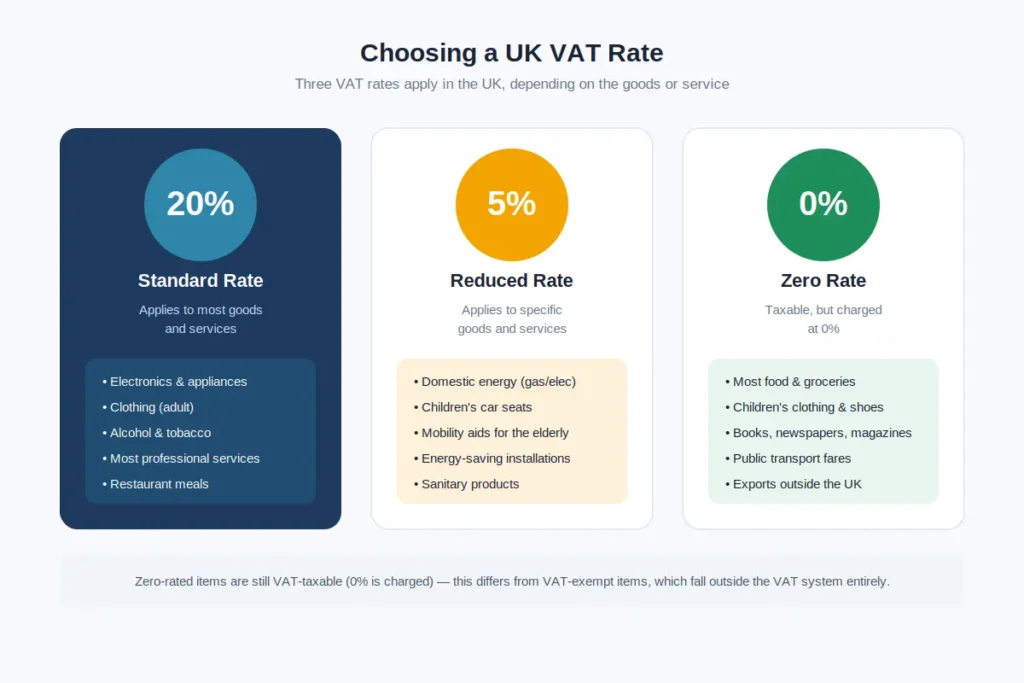
The VAT rate you enter should match the goods or services being calculated. In the UK, the standard VAT rate is currently 20% and applies to most goods and services. A reduced rate of 5% applies to certain supplies, while some goods and services are zero-rated at 0%.
The rate cannot always be chosen simply because the transaction is in the UK. HMRC guidance shows that the correct treatment can depend on what is being supplied, how it is used, who is buying it, and other specific conditions. Some supplies are also exempt from VAT rather than charged at 0%.
For that reason, use 20% for a normal standard-rated calculation only when the transaction falls under the standard rate. If you already know that a supply qualifies for a reduced or zero rate, enter 5% or 0% instead. If you are unsure which treatment applies, check the current HMRC guidance before relying on the calculator result.
UK VAT Calculator for Common Business Prices
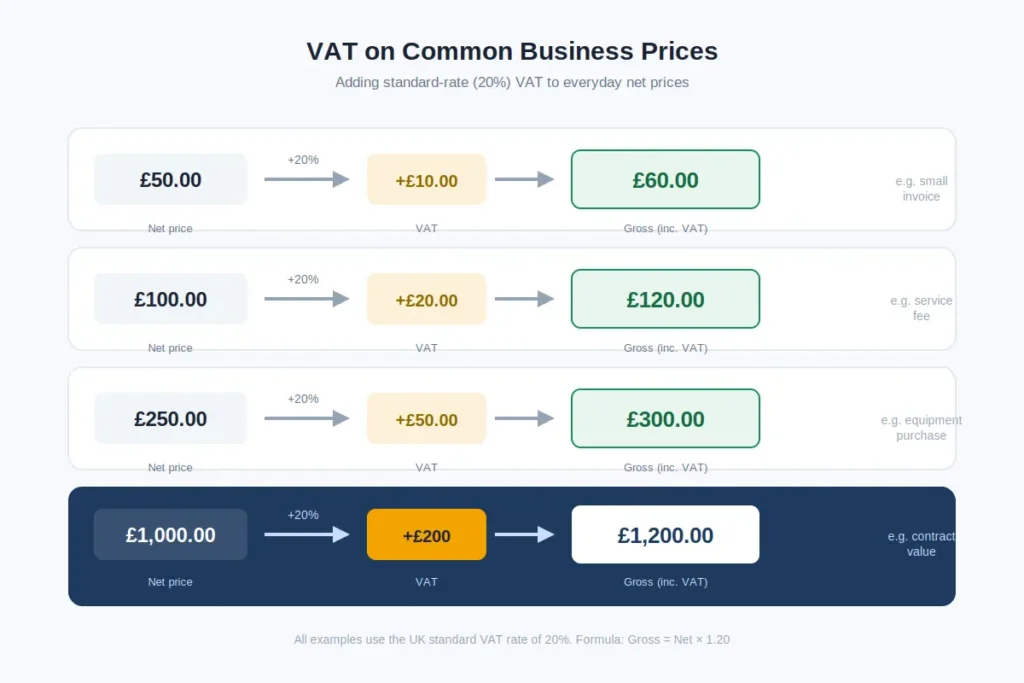
| Net price before VAT | VAT rate | VAT amount | Gross price including VAT |
| £50 | 20% | £10 | £60 |
| £100 | 20% | £20 | £120 |
| £250 | 20% | £50 | £300 |
| £500 | 20% | £100 | £600 |
| £1,000 | 20% | £200 | £1,200 |
These examples show how the figures change when VAT is added to a business price. For instance, a business quoting £500 before VAT would add £100 in VAT, making the customer-facing total £600. The same approach can be used for product prices, service quotes, invoices, and other standard-rated business amounts. If the figure you have is already VAT-inclusive, the calculation needs to work backwards rather than simply taking 20% off the total.
FAQs
Final Thoughts
A UK VAT calculation usually comes down to one important detail: knowing whether your starting price is before or after VAT. From there, the calculation is straightforward. Add VAT when you are working from a net price, or work backwards when the amount already includes VAT. Keeping the net amount, VAT amount, and gross total separate also makes invoices and business pricing easier to check.
The VAT rate matters just as much. A standard-rated transaction may use 20%, while some supplies have different VAT treatment. If you are working with an older transaction, a custom historical rate may also be needed. The calculator can handle the arithmetic, but choosing the correct VAT treatment is a separate step.
For everyday tasks such as checking an invoice, preparing a quote, reviewing a selling price, or confirming the VAT included in a total, the calculation can save time and reduce simple arithmetic mistakes. Once you know the correct VAT rate and whether your figure is net or gross, what amount do you need to calculate first?