
Margin and VAT Calculator
Margin & VAT Calculator: set a profitable selling price
Net selling price = Cost ÷ (1 − Margin) • Margin is measured on the selling price, markup on the cost.
A margin calculation shows how much profit is left from a sale after covering the cost. VAT is a tax that can be added to the selling price or already included in the amount the customer pays. When setting prices, these two calculations need to be kept separate because VAT is not part of your profit.
This Margin and VAT Calculator helps you work out the selling price, VAT amount, and final customer price. Once you have the selling price before VAT, use our add VAT calculator to add the tax. For more business pricing tools, see our business VAT calculator.
The calculation depends on whether your margin is based on the selling price before VAT or the final price that includes VAT. The VAT rate also needs to match the transaction you are calculating.
How the Margin and VAT Calculator Works
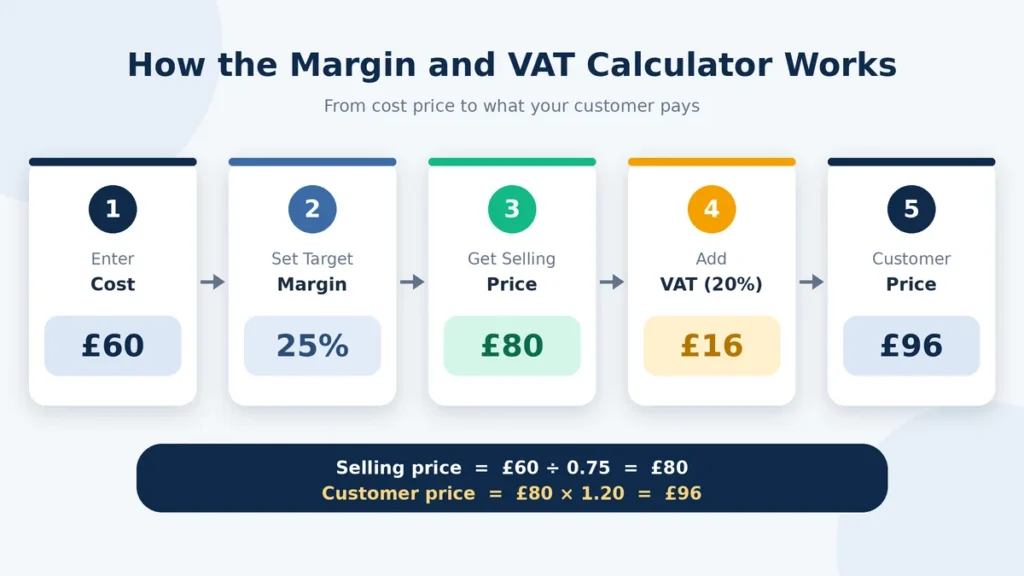
The calculator uses your cost, target margin, and VAT rate to work out the price you need to charge. Your margin is based on the selling price, while VAT is calculated separately from the taxable selling amount.
- Enter the cost of the product or item.
- Enter the profit margin you want to make.
- Enter the applicable VAT rate.
- Calculate the selling price needed to reach your target margin.
- Add or account for VAT to find the final customer price.
- Check the VAT amount and profit separately from the total price.
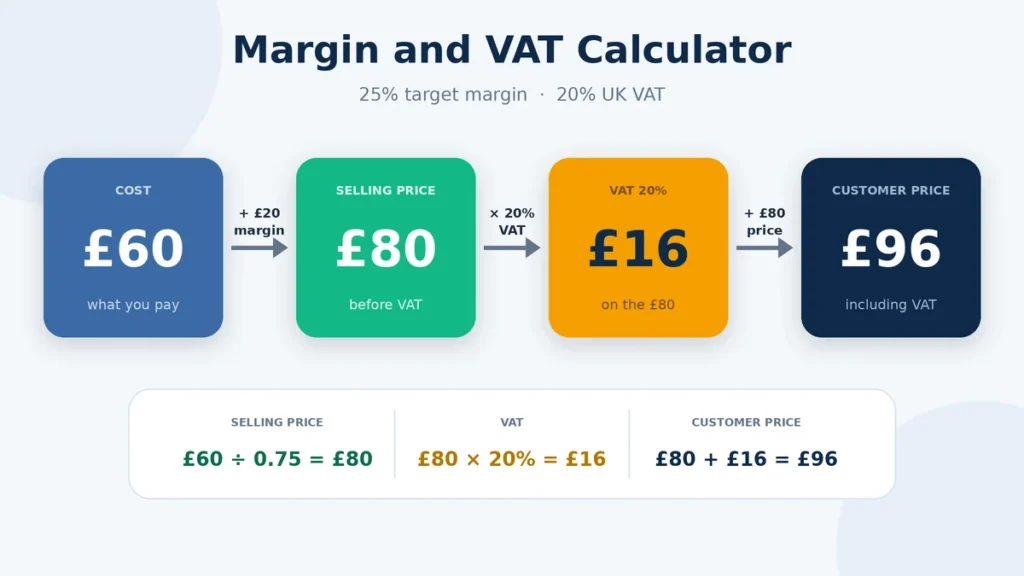
For example, if an item costs £60 and you want a 25% profit margin, the selling price before VAT needs to be £80. At a 20% VAT rate, £16 VAT is added, giving a customer price of £96. Your £20 profit is based on the £80 selling price before VAT, not the £96 paid by the customer.
This matters when pricing products because the VAT collected from a customer is not additional profit. The two amounts need to be treated separately when checking your margin.
Margin, Markup and VAT: What Changes
Margin, markup, and VAT can all appear when you are working out a selling price, but they mean different things. Margin measures profit as a percentage of the selling price. Markup measures profit against the original cost. VAT is a tax applied to the taxable selling amount, so it should not be counted as profit.
| Calculation | What it measures | Example |
| Profit margin | Profit as a percentage of the selling price | £20 profit on a £100 sale = 20% margin |
| Markup | Profit as a percentage of the cost | £20 profit on an £80 cost = 25% markup |
| VAT | Tax charged on the taxable price | 20% VAT on £100 = £20 VAT |
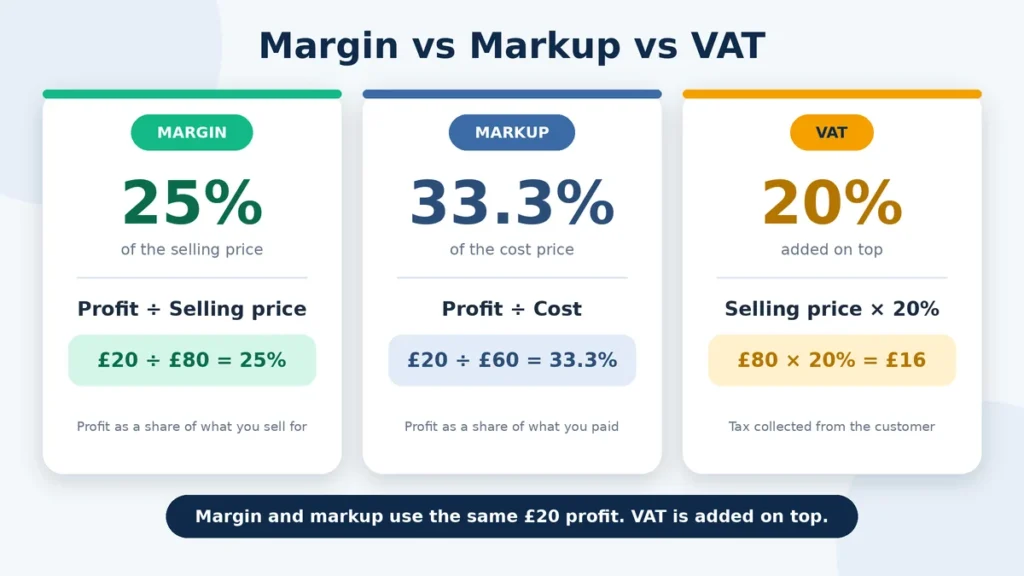
The difference shows up clearly when you price an item. If something costs £80 and you sell it for £100 before VAT, your profit is £20. That gives you a 20% margin and a 25% markup. If 20% VAT is then added, the customer pays £120. The extra £20 is VAT, not extra profit.
Keeping these figures separate can help avoid a common pricing mistake: counting the VAT collected from the customer as part of your profit.
Calculating Selling Price from Cost and Target Margin
To calculate a selling price from your cost and target margin, the margin must be based on the selling price rather than the cost.
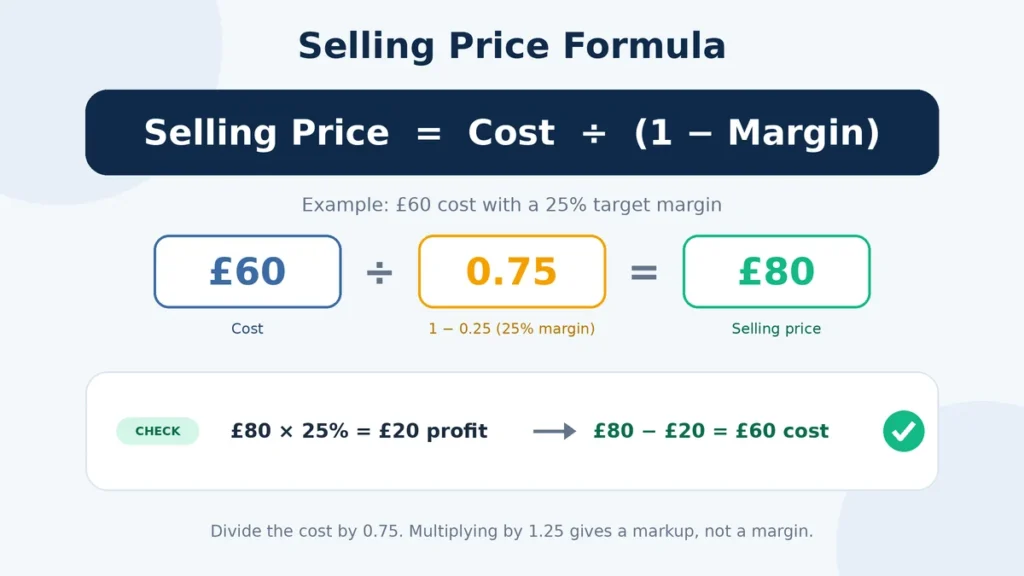
Use the formula:
Selling price = Cost ÷ (1 − margin ÷ 100)
For example, if an item costs £60 and you want a 25% margin:
£60 ÷ 0.75 = £80 selling price
The £20 difference is your profit, and £20 is 25% of the £80 selling price.
VAT is then calculated separately on the selling price if the transaction is VAT-rated. At 20% VAT, £80 becomes £96 for the customer, while your profit remains £20 before other business costs.
VAT Margin Scheme vs a Margin Calculator
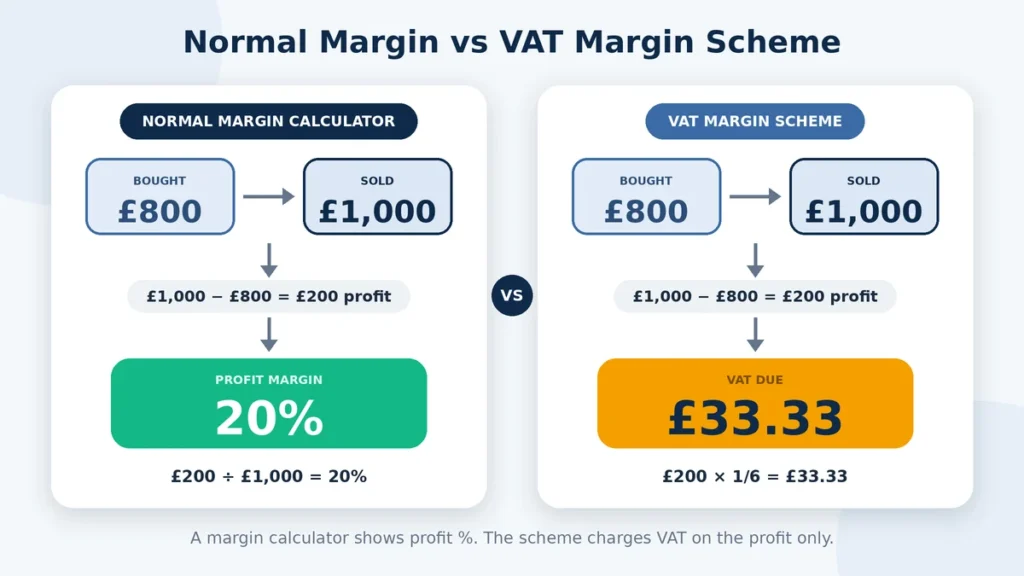
A margin calculator and a VAT Margin Scheme are used for different calculations. A margin calculator works out profit based on your cost and selling price. A VAT Margin Scheme is a specific VAT treatment for certain eligible goods and businesses, where VAT is calculated on the margin between the buying and selling price rather than the full selling price. The rules and eligibility depend on the type of transaction.
For example, if a business buys an eligible item for £800 and sells it for £1,000, the difference is £200. Under a VAT Margin Scheme, this £200 margin is used when working out the VAT. A normal margin calculator looks at the same £800 cost and £1,000 selling price from a profit point of view and gives a 20% profit margin. The two calculations are different, even though they both use the term “margin.”
If you are working out a selling price or profit percentage, use the standard margin calculation. If a VAT Margin Scheme applies to the transaction, follow the specific VAT rules for that scheme instead of using a normal profit-margin calculation as the VAT calculation.
FAQs
Final Thoughts
Margin and VAT answer two different pricing questions. Your margin shows how much profit remains from the selling price, while VAT shows the tax added to or included in that price. Keeping these figures separate makes it easier to set prices without counting VAT as profit.
Start with your actual cost and target margin to find the selling price before VAT. Then apply the VAT rate that fits the transaction to see the final amount charged to the customer. If your cost already includes VAT, check how that amount should be treated before using it in the margin calculation.
You can use the same approach for different VAT rates, discounts, and break-even pricing. Just make sure you are using margin rather than markup when margin is the percentage you want to achieve.
When you set a selling price, do you know whether your target percentage is a margin or a markup?