UK VAT Number Checker
UK VAT Number Checker: check the format instantly
This checks the format only. To confirm a number is genuinely registered, use HMRC’s VAT number checker. For Northern Ireland (XI) numbers you can also use the EU’s VIES system.
A UK VAT number checker helps you confirm whether a VAT number is registered and see the business details. For more on UK VAT, see our guide to VAT in the UK. If you need to work out VAT on a price, use our add VAT calculator.
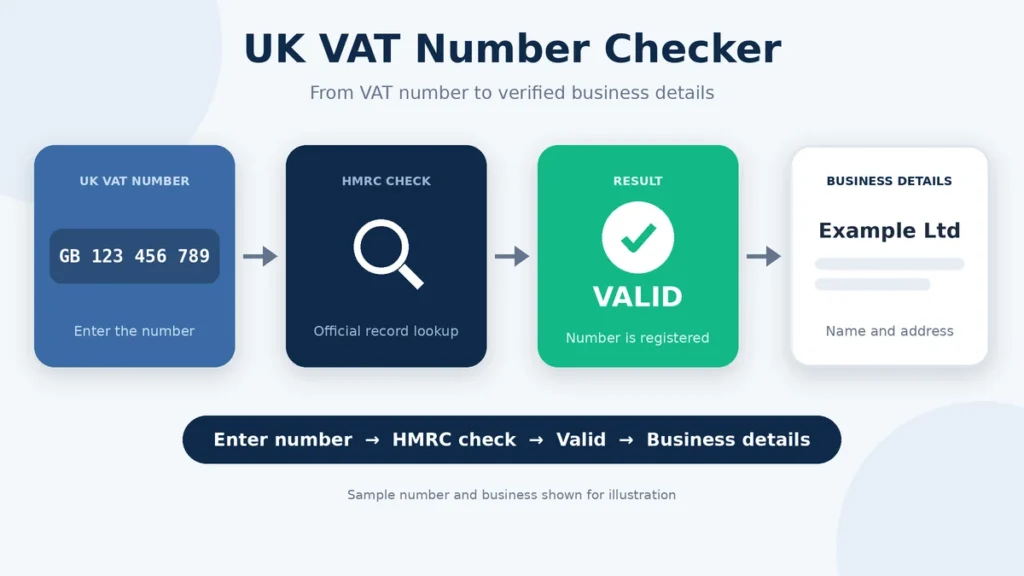
The official HMRC VAT checker is the main place to verify a UK VAT number. You need the VAT number itself to run the check. The service can confirm whether the number is valid and may show the registered business name and address. (gov.uk)
Checking the number is different from simply looking at its format. A VAT number can look correct and still need to be checked against HMRC records before you rely on it.
How to Check a UK VAT Number
You can check a UK VAT number directly through the official HMRC VAT checker. The service requires the VAT number itself, so you cannot search for a VAT registration using only the business name. (gov.uk)
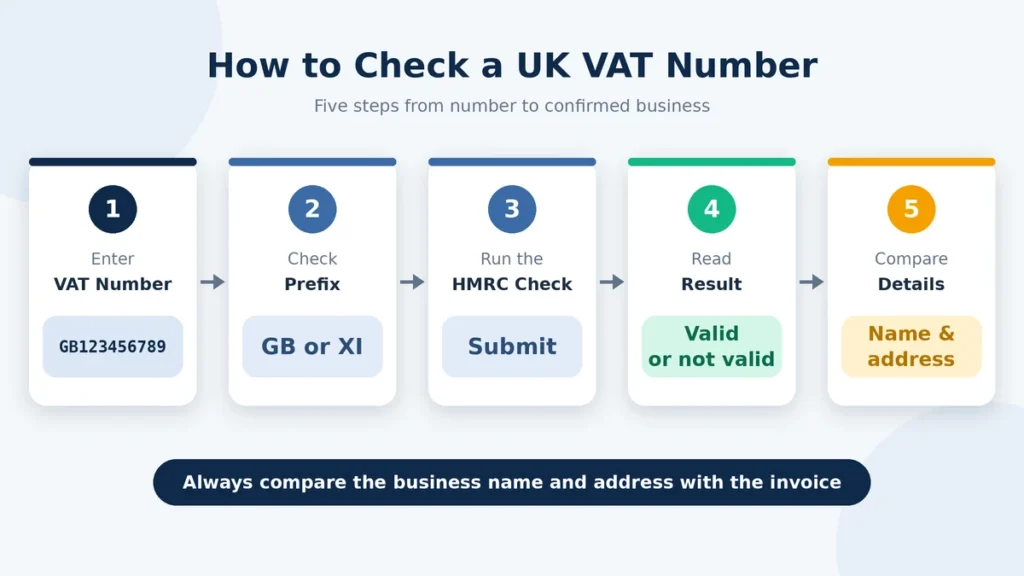
- Find the VAT number on the supplier’s invoice, receipt, website, or other business documents.
- Open the official HMRC VAT number checker.
- Enter the VAT number.
- Submit the number and review the result.
- Check whether HMRC confirms that the number is valid.
- Compare the registered business name and address with the details provided by the supplier.
- If the number is shown as invalid, check the number carefully before assuming that the registration is not valid
The checker can confirm the VAT registration and the business details linked to the number. A number that only looks correctly formatted does not tell you whether it is currently valid or belongs to the business using it.
If a number that you believe is valid comes back as invalid, check the HMRC service information before drawing a conclusion. Technical problems can sometimes affect the results shown by the online checker. (gov.uk)
What a VAT Number Check Can Confirm
| Check Result | What It Confirms |
| VAT number is valid | HMRC confirms that the VAT registration number is valid. |
| Registered business name | The business name registered to the number can be shown. |
| Registered address | The address associated with the VAT registration can be shown. |
| Number is invalid | The HMRC checker is not confirming the number as valid. |
| Business name search | Not available. You need the VAT number itself to run the check. |
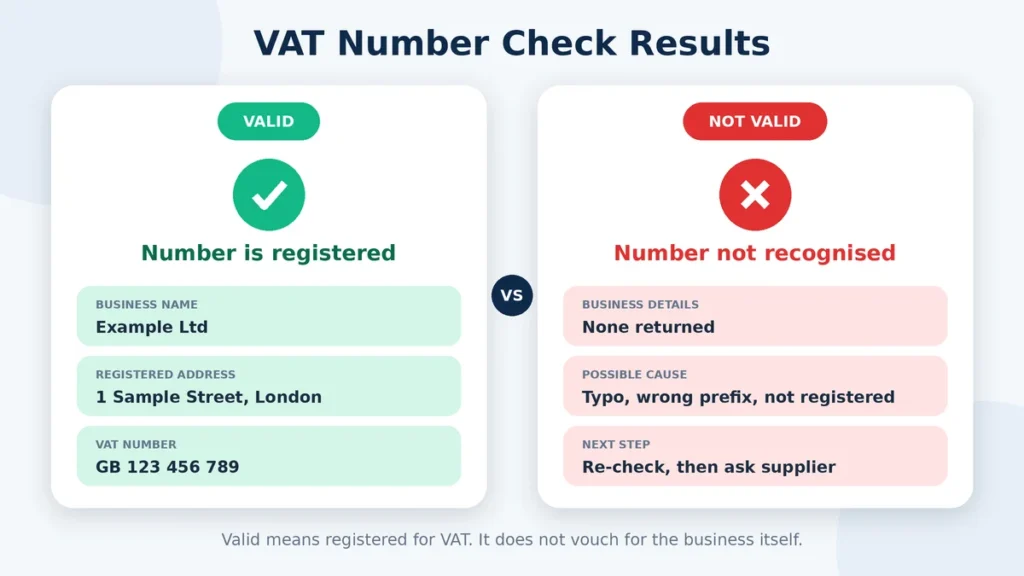
The HMRC checker is mainly used to confirm whether a VAT number is valid and to view the business details linked to it. It should be used alongside the supplier’s invoices and other business records, rather than as the only check.
If the details returned by HMRC do not match the information given by the supplier, ask the supplier to explain the difference before relying on the VAT number.
UK, GB and Northern Ireland VAT Number Checks
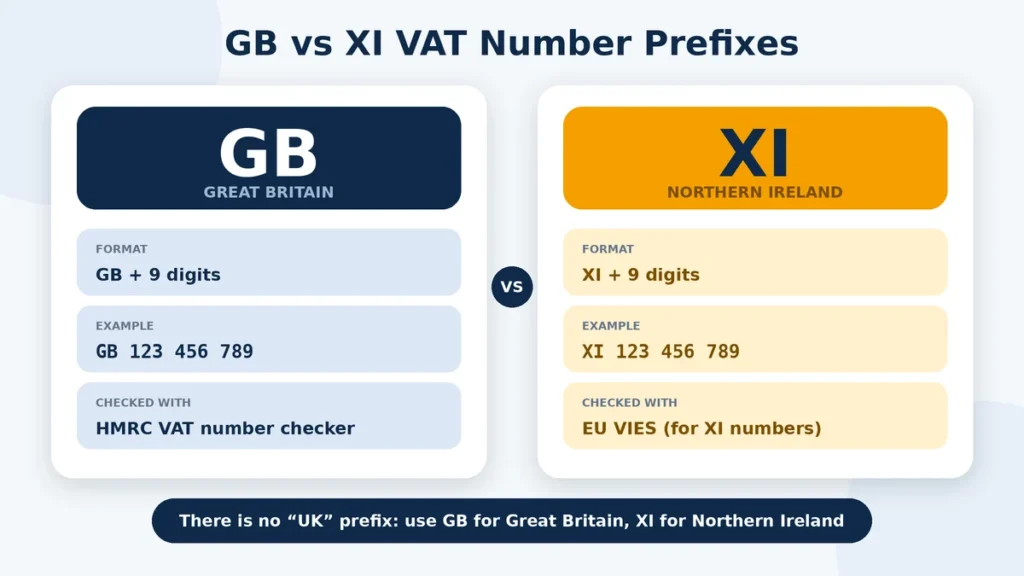
A UK VAT registration number normally contains nine digits. Northern Ireland businesses covered by the relevant Windsor Framework rules use the XI prefix before their usual UK VAT number for certain transactions involving goods between Northern Ireland and the EU. For example, HMRC gives XI 123456789 instead of GB 123456789. (gov.uk)
The GB and XI prefixes are not interchangeable for every transaction. The XI prefix has a specific role for Northern Ireland businesses trading goods with the EU under the Windsor Framework. It is not required for supplies within the UK or for certain services between Northern Ireland and the EU. (gov.uk)
If you are checking a VAT number for a Northern Ireland-EU goods transaction, make sure you are using the identifier that applies to that type of transaction.
What to Do When a VAT Number Fails Validation
An invalid result does not always mean that the business is not VAT registered. A typing mistake, a recent registration, or an issue with the HMRC online service can affect the result. HMRC notes that there can be occasions when a valid VAT registration number appears as invalid through the checker. (gov.uk)
- Check every digit of the VAT number for typing errors.
- Compare the number with the supplier’s invoice, receipt, or other business document.
- Run the check again through the official HMRC service.
- Check HMRC’s service availability and issues page if the problem continues.
- Ask the supplier to confirm the VAT number if the result still does not match their records.
- Ask for the supplier’s VAT certificate if you need additional confirmation.
- Do not treat the VAT number as verified until the discrepancy has been explained.
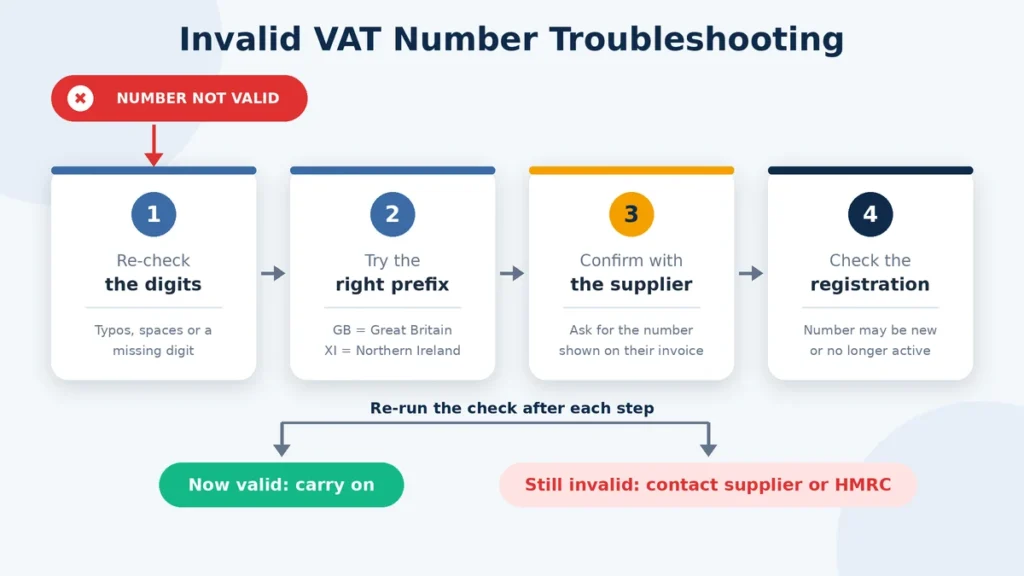
New VAT registrations may also take time to appear correctly in the online service. HMRC publishes service updates when known problems affect the checker. (gov.uk)
If the problem continues, speak to the supplier and clarify the VAT number before using it for an invoice or business transaction.
FAQs
Final Thoughts
Checking a UK VAT number only takes a moment, but it can help you avoid problems with invoices and supplier records. The official HMRC checker lets you confirm whether a VAT number is valid and view the business details linked to it. (gov.uk)
Do not rely on the number’s format alone. If the result does not match the supplier’s information, check the number again and ask the supplier for clarification. New registrations and temporary HMRC service issues can also affect what appears in the checker. (gov.uk)
For important transactions, keep a record of the VAT check with the relevant invoice and business documents. Also remember that a valid VAT number does not by itself confirm that the VAT treatment of a particular transaction is correct.
Before relying on a supplier’s VAT details, have you checked the number against the official HMRC record?