Reverse VAT Calculator
Reverse VAT Calculator: from gross price back to net
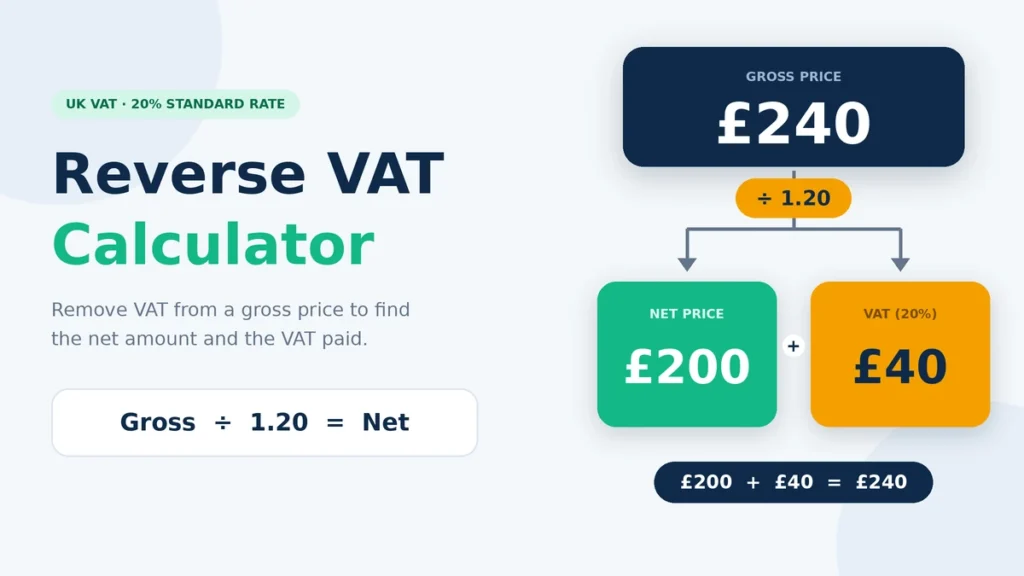
Formula: Net = Gross ÷ (1 + VAT rate) • VAT = Gross − Net
If a price already includes VAT and you want to know what it was before tax, you need to work backwards from the total. You cannot just take the VAT percentage off the final price and expect to get the original amount.
This Reverse VAT Calculator breaks a VAT-inclusive price into the amount before VAT and the VAT included in the total. Enter the gross price and the VAT rate to see both figures. It can be useful when checking an invoice, looking over a receipt, working out VAT on a business purchase, or checking a selling price that already includes VAT. To do the opposite calculation, use our add VAT calculator, or read how to calculate VAT for a full walkthrough.
For example, with 20% VAT, you divide the total by 1.20 to find the price before VAT. The VAT is then the difference between the original total and that amount. If a different VAT rate was used, you can follow the same process with the appropriate divisor.
How the Reverse VAT Calculator Works
Using the calculator is simple:
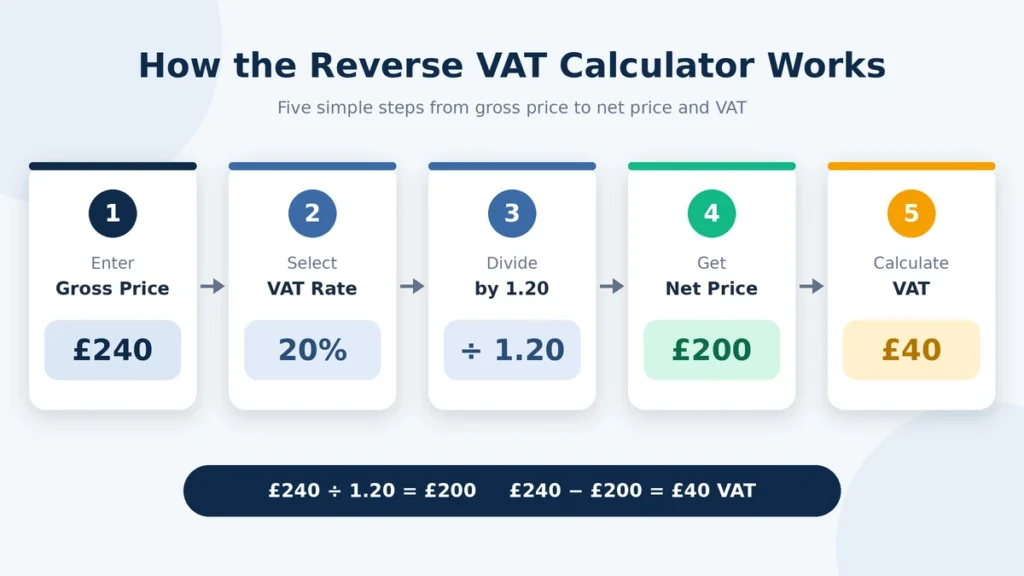
- Enter the total price including VAT.
- Enter the VAT rate that was used.
- Divide the total by 1 plus the VAT rate as a decimal.
- Subtract the net price from the total to find the VAT.
- Check the net price, VAT amount, and gross price.
should be the same rate that was applied to the transaction.
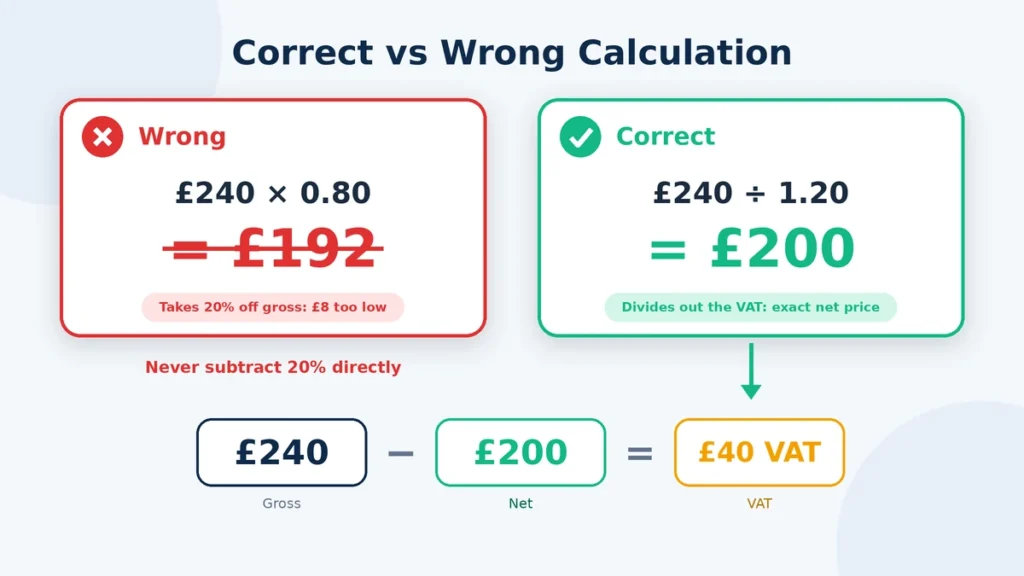
For example, suppose an invoice shows £240 including 20% VAT.
£240 ÷ 1.20 = £200
So the price before VAT was £200.
The VAT included in the £240 total was:
£240 − £200 = £40
You will not get the right answer by simply taking 20% off £240. The 20% was added to the £200 price before VAT, rather than calculated from the final £240.
The general formulas are:
Net price = Gross price ÷ (1 + VAT rate ÷ 100)
VAT amount = Gross price − Net price
The rate you enter
Formula for Removing VAT from a Gross Price
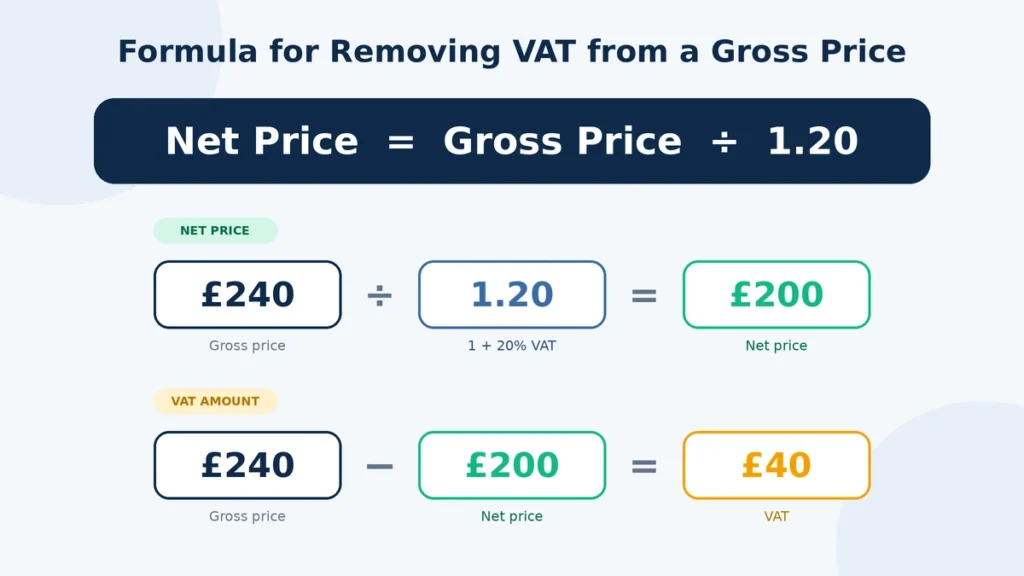
When VAT is already included in a price, the total contains both the original price and the VAT. This is why you divide the gross amount instead of simply subtracting the VAT percentage.
For 20% VAT, the calculation is:
Net price = Gross price ÷ 1.20
Then:
VAT amount = Gross price − Net price
For example, if the gross price is £240:
£240 ÷ 1.20 = £200
The VAT is:
£240 − £200 = £40
You can use the same approach for other VAT rates. With 5% VAT, for example, you would divide the gross amount by 1.05.
Common VAT-Inclusive Amounts Converted to Net
The examples below show how VAT-inclusive prices break down when 20% VAT applies.
| Gross Price Including VAT | Net Price Before VAT | VAT Included |
| £60 | £50 | £10 |
| £120 | £100 | £20 |
| £180 | £150 | £30 |
| £240 | £200 | £40 |
| £300 | £250 | £50 |
| £600 | £500 | £100 |
| £1,200 | £1,000 | £200 |
At 20% VAT, dividing the gross amount by 1.20 gives you the price before VAT. The VAT is simply the difference between the gross and net amounts.
If a different VAT rate was used, the divisor changes too. For example, 5% VAT uses 1.05 rather than 1.20.
Taking VAT Off on a Standard Calculator
You can work out reverse VAT with any basic calculator. All you need is the VAT-inclusive price and the rate that was used.
For 20% VAT:
1 + 20 ÷ 100 = 1.20
Then divide the gross price by 1.20.
For example, if the total is £360:
£360 ÷ 1.20 = £300
That gives you the price before VAT.
To find the VAT:
£360 − £300 = £60
A common mistake is multiplying £360 by 0.80. That takes 20% off the gross price, but it does not undo a 20% VAT charge. Since the VAT was added to the net price, you need to divide the gross amount to work back to the original figure.
FAQs
Final Thoughts
Reverse VAT is simply a way of working backwards from a price that already includes VAT. Divide the gross amount by 1 plus the applicable VAT rate to find the price before VAT, then subtract that amount from the total to find the VAT.
For 20% VAT, dividing by 1.20 is the quickest way to separate the two amounts. For other rates, change the divisor to match the VAT rate used.
This can be useful when checking invoices, receipts, business purchases, quotes, and prices that already include VAT. If the transaction includes different VAT rates, discounts, rounding, or other VAT treatment, check the transaction details before relying on the calculated figures.